Dūtabot: a context-aware chat experience for readers
Designing an AI-powered conversational experience that helps readers explore a story without leaving the content.
Context
What is Dūta?
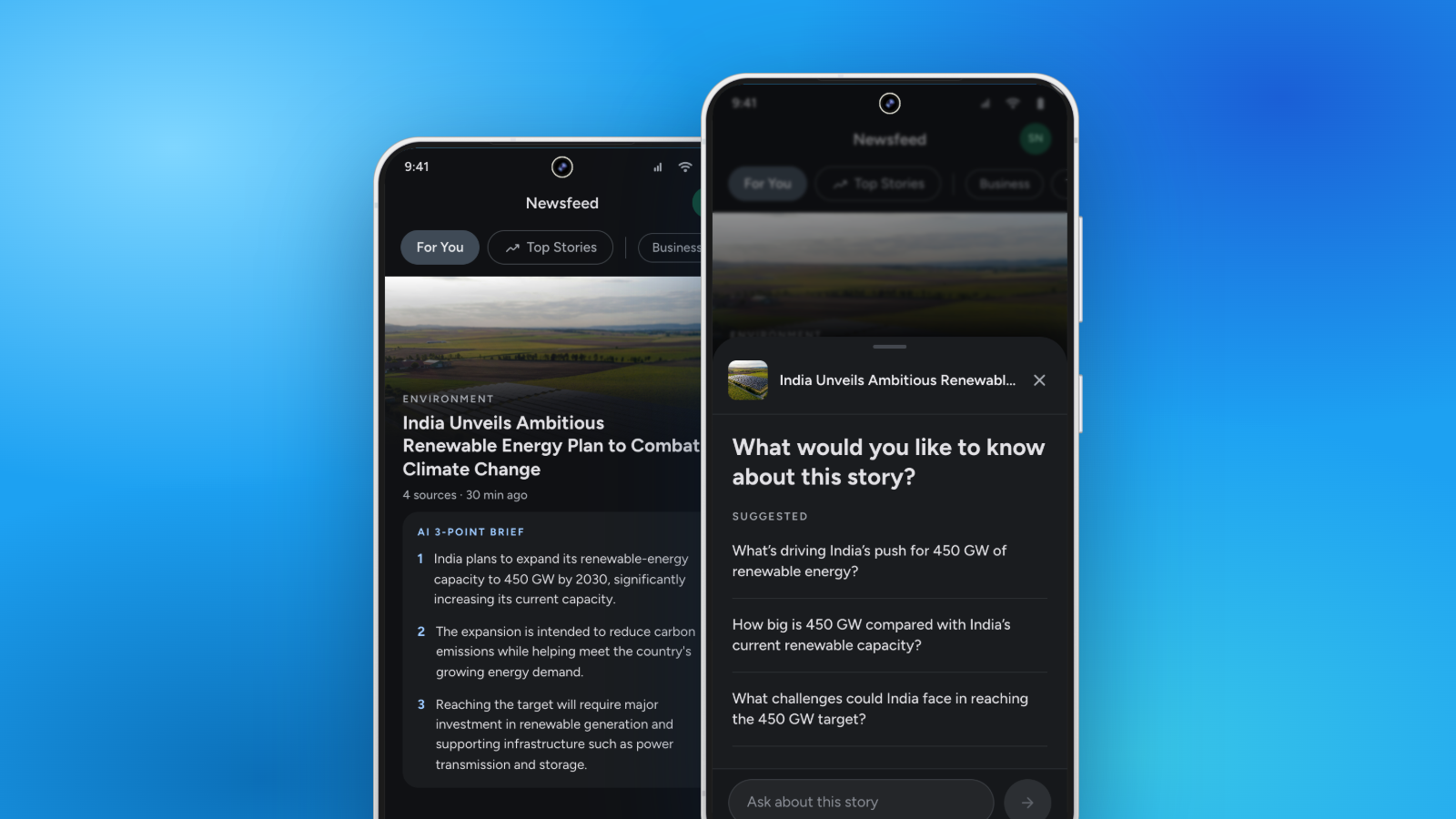
Dūta is a news aggregator app that presents each story as a 3-point summary, so readers can scan important, personalised news without reading long articles. It launched first in two Indian states, Telangana and Andhra Pradesh.
I designed Dūtabot, a conversational experience that lets readers explore a story and ask questions without leaving it. I also defined how the AI should behave.
What I owned
The requirements defined what Dūtabot should do, but not how it should behave. I defined:
- Behaviour spec (three question paths, each with its own response and labelling)
- Reference set (20 example questions with expected responses built with Claude)
- Interaction and visual design
The PM led feature decisions, reader interviews and usability testing. The engineer integrated the OpenAI API, and the AI team owned accuracy verification and safeguards.
The opportunity
Why did readers need something more?
The news story answered "What happened?", but readers may still want to know:
- Who is affected?
- Why does this matter?
- What happened before this?
- What are the consequences?
- Where did this information come from?
We considered background explainers and related-story links, but these offer limited ways to explore individual questions.
A conversational experience lets readers ask follow-up questions in the context of the story, without leaving the reading experience.
Role of AI: why does AI belong here?
AI created an opportunity to make this design conversational and contextual. Rather than a standalone chatbot, it had to be designed as a contextual layer on top of the news reading experience.
This meant designing the AI's boundaries and behaviour, such as what context it should use, how to handle follow-up questions, and how to respond when the question is not related to the content.
The engineer integrated the OpenAI API into the chat to power the conversational responses, while I focused on how AI should behave within the product experience.
Three principles guided the design:
- Contextual - Keep answers connected to the story.
- Conversational - Let readers ask questions and follow up.
- Responsible - Make it clear when answers go beyond the story.
Readers' needs
What problems are we solving?
The PM had spoken with target readers and identified the main pain points. I used those findings as the starting point and mapped each one to a design decision.
Reader need
Design decision
"I understand the story, but I still have a question."
Ask from the story itself, without leaving it
"Does it know which story I'm talking about?"
Story context carried into the chat automatically
"Can it explain things or give background?"
Suggested questions and the "Ask about this story" placeholder show what it can do
"I just want a quick answer."
Short, structured answers that start with a direct answer
"I don't want to lose my place in the story."
Bottom sheet keeps the story visible, and the conversation stays open while the reader is on the story
Design challenge
How might we introduce conversation as an extension of the news story, rather than as a separate chatbot experience?
Conversational flow: how does the conversation behave?
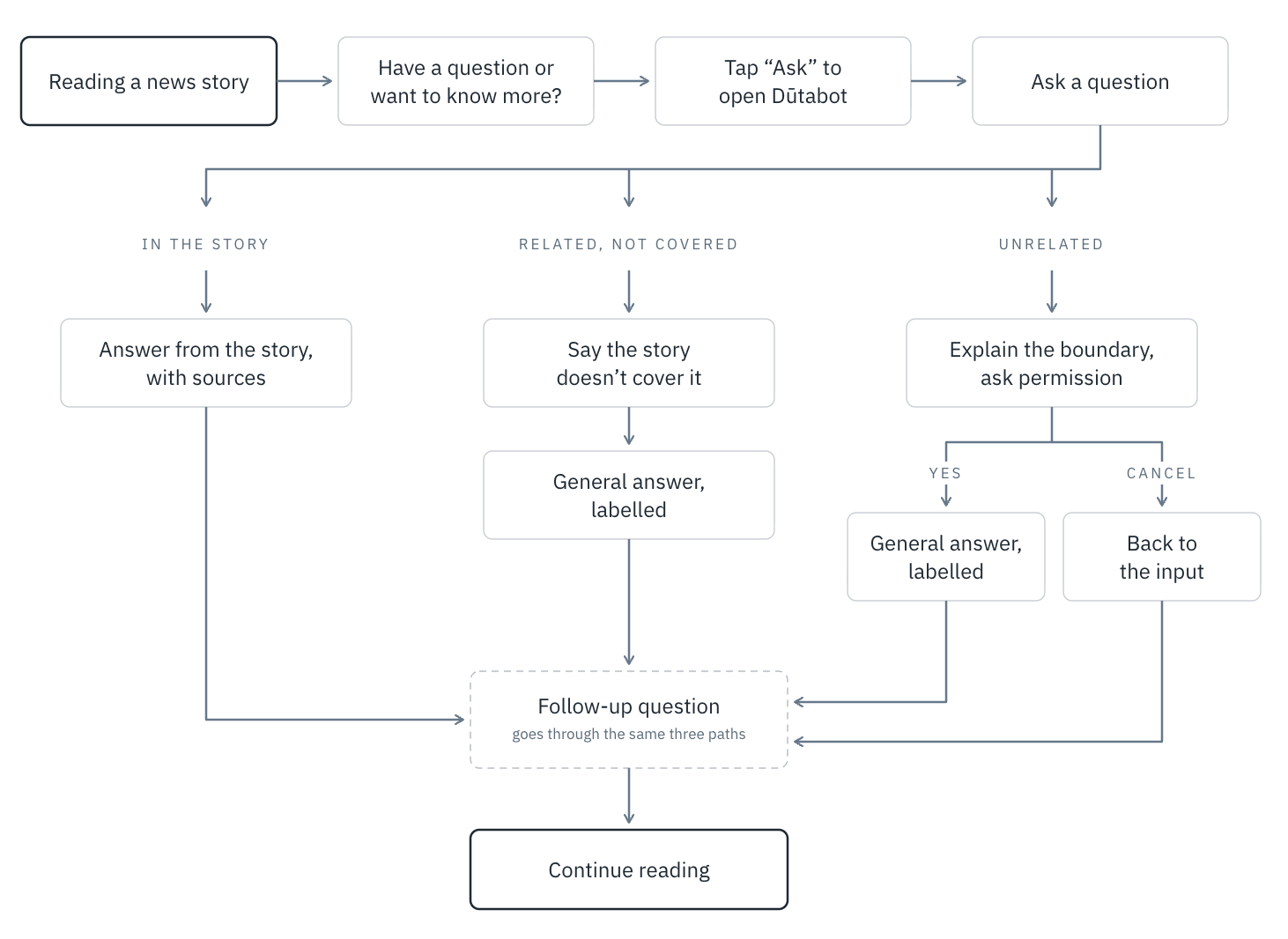
I mapped how a conversation moves depending on the question. Every question goes through one of three paths, so readers always know whether an answer comes from the story, and every path leads back to reading.
Design decisions
Designing the conversational experience
The 3-point summary doesn't have to be the end of the story. If a reader wants to explore the topic, the story becomes the starting point of the conversation.
Read a story → Question? → Ask → Understand → Continue reading
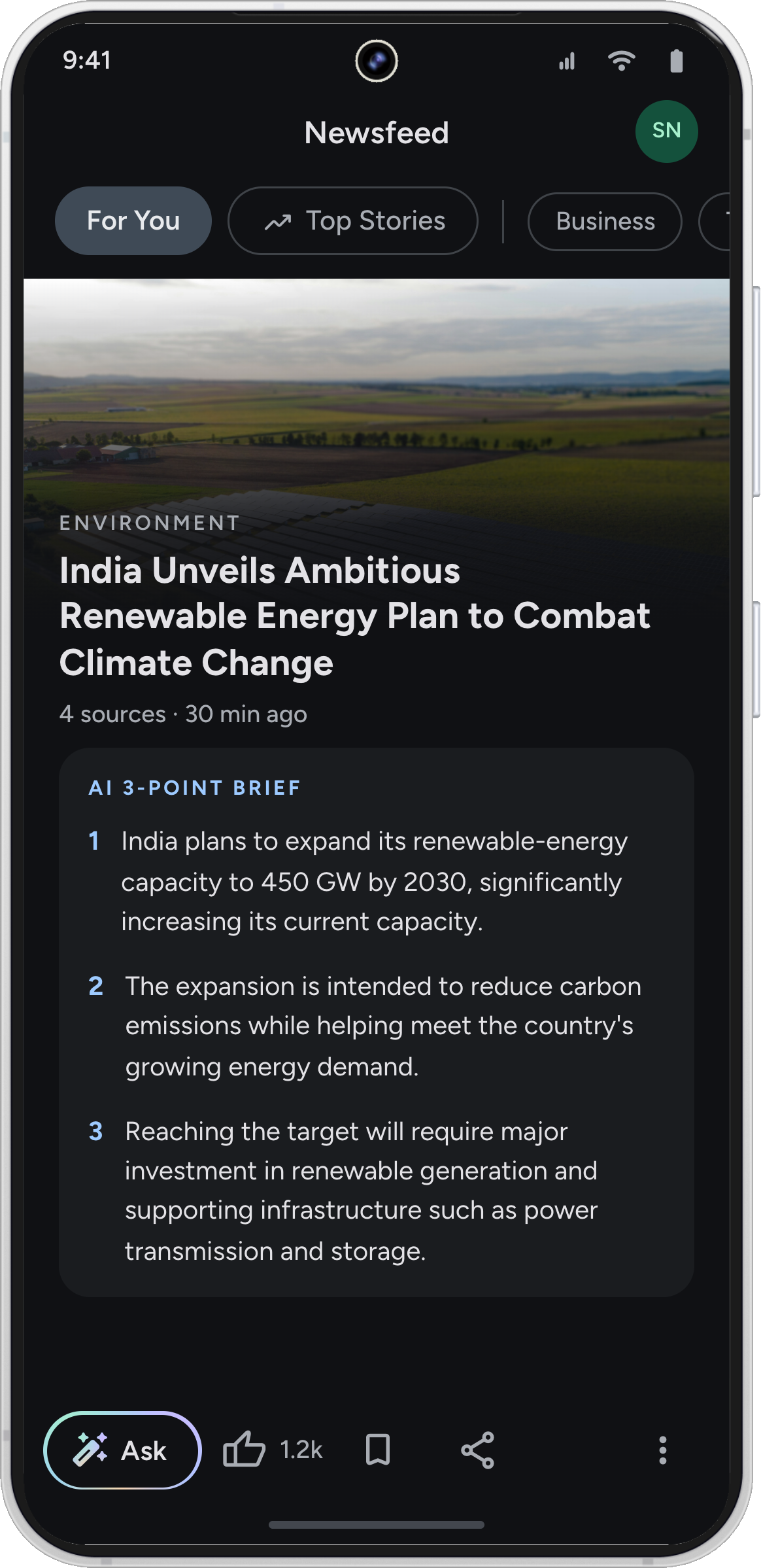
01. Entry point
Reader question: How do I know I can ask something?
Design decision: Dūta has no navigation bar, so the action row under each story is where readers interact with it. I placed "Ask" first in that row and gave it a text label and a gradient outline.
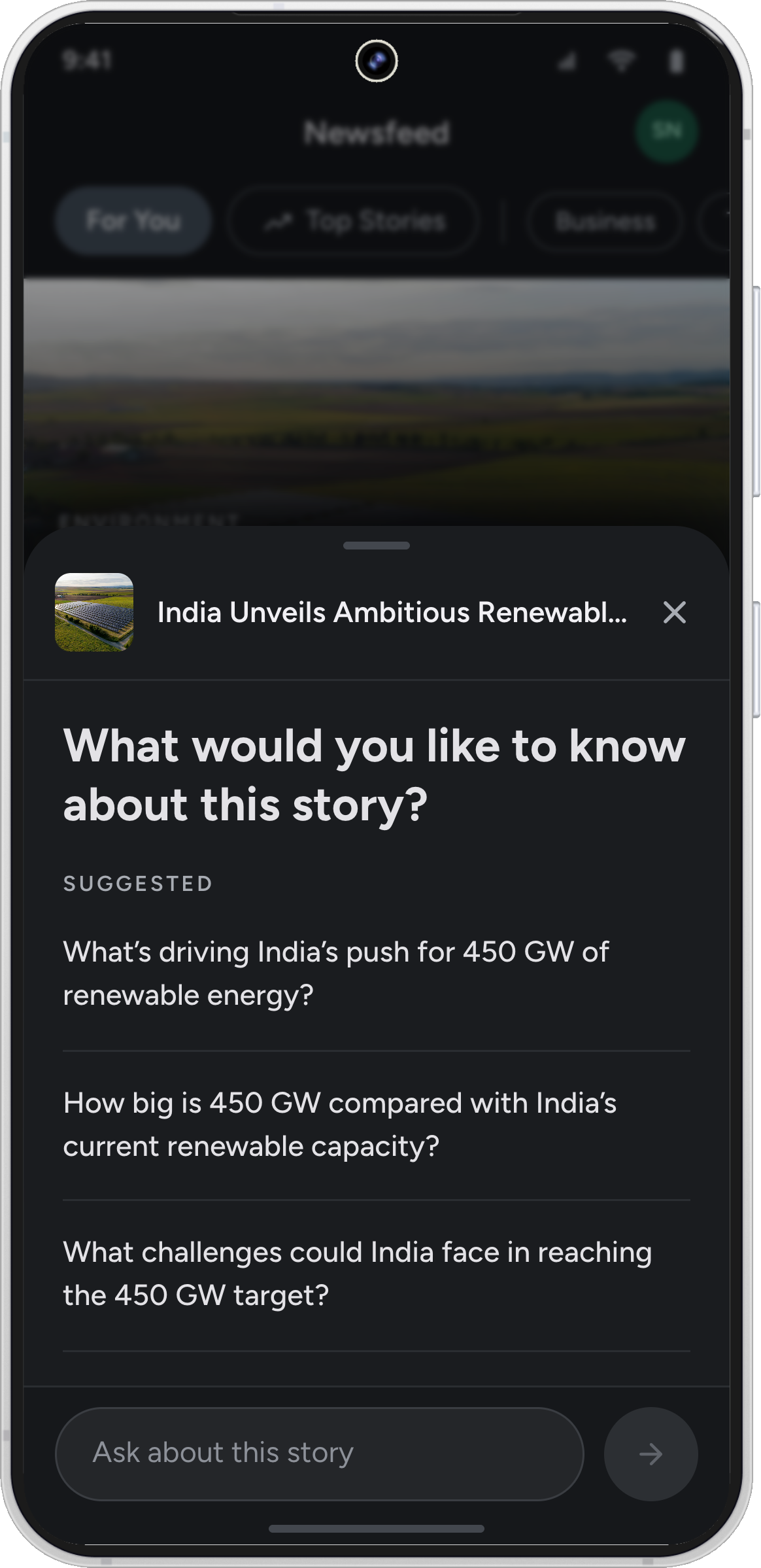
02. Starting the conversation
Reader question: What can I ask?
Design decision: I wanted to give readers an easy starting point. Instead of an empty chat, the story itself suggests relevant questions, so readers can explore quickly and still ask anything they want.
03. Keeping the conversation contextual
Reader question: Does it understand which story I'm asking about?
Design decision: The story's context is carried into the chat automatically, so readers can ask naturally. Follow-ups like "Is that realistic?" work without restating the story. Conversations stay open while the reader is on the story, so closing the chat to re-read the brief doesn't lose anything.
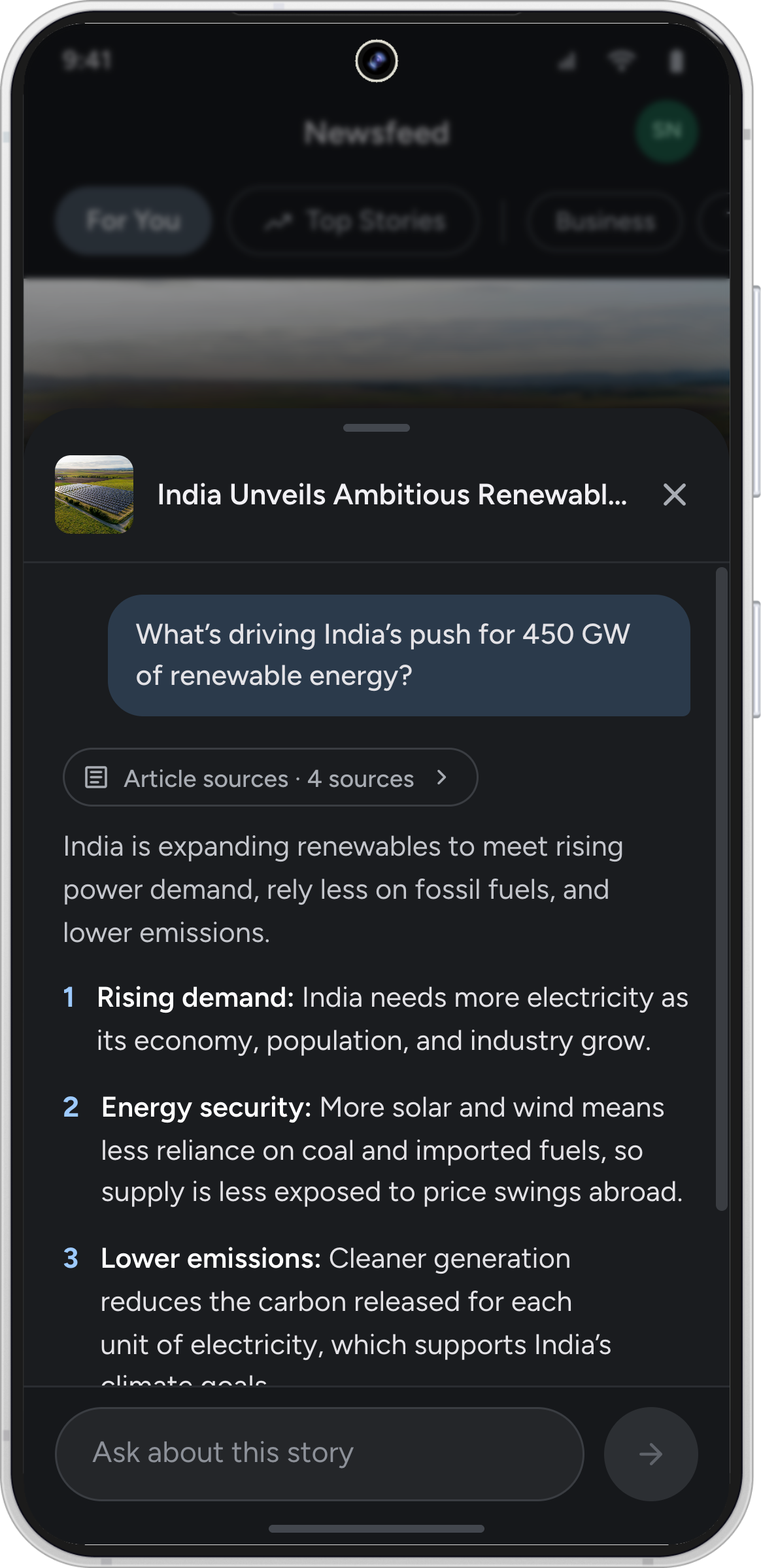
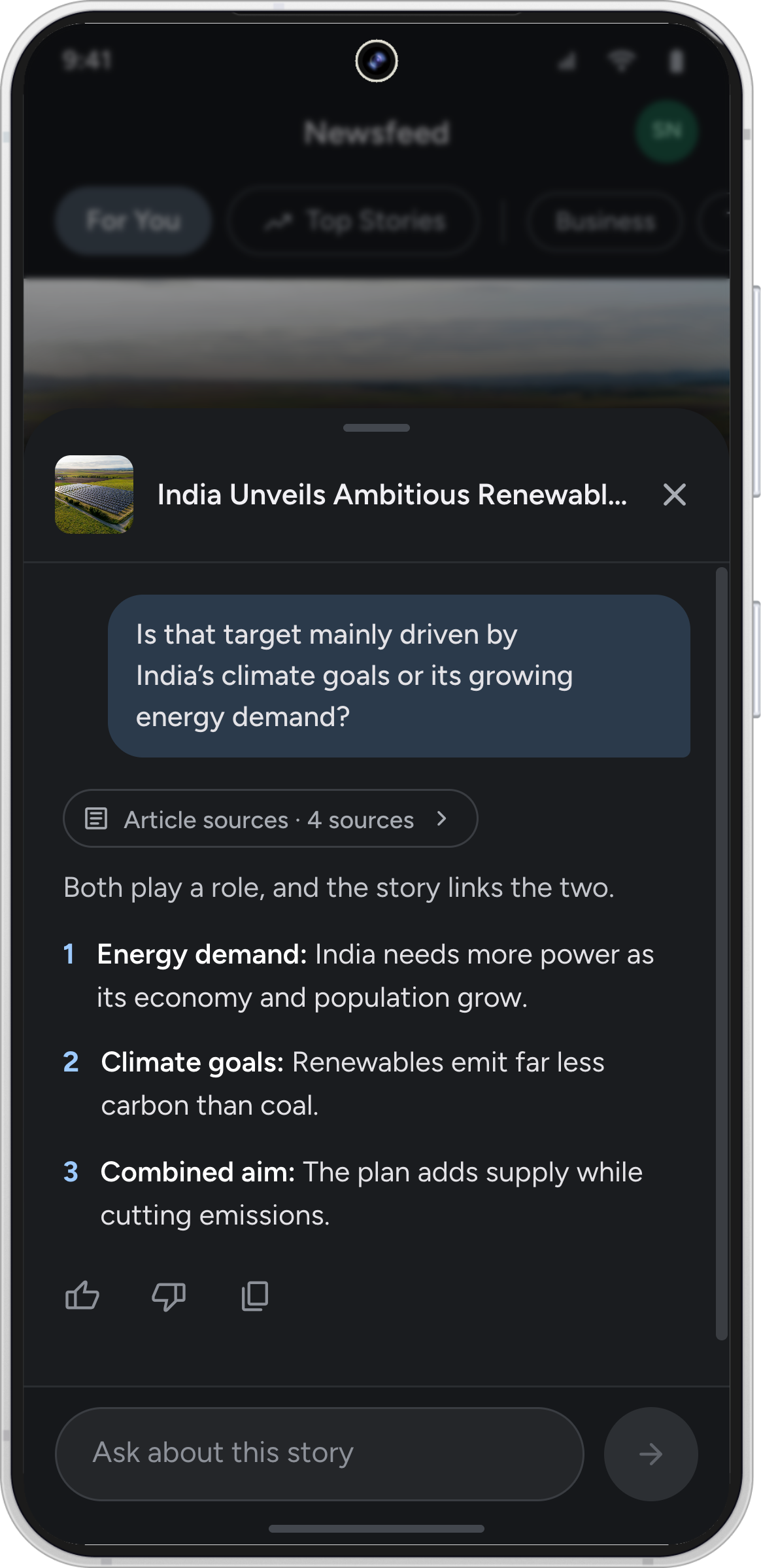
04. Handling questions beyond the story
Reader question: What if my question isn't in the story?
Design decision: I defined three question types, each with a distinct response behaviour, so readers could explore beyond the article without losing context.
I created 20 example questions and expected responses across three question types, using Claude to generate and stress-test candidate questions. I chose the final set, wrote the expected behaviour for each, and shared it with the data scientist and engineer as a reference for implementation. A sample is below.
Question type
Example
Expected response
In the story
"What's driving India's push for 450 GW of renewable energy?"
One-line answer, then 3 labelled points from the sources, with the sources chip.
In the story (follow-up)
"Is that realistic?"
Understands "that" means the 450 GW target, even if the story doesn't cover it.
Related, not covered
"How much of India's power still comes from coal?"
General answer in the same format, labelled "not from this story."
Unrelated
"What are some easy ways to improve my sleep?"
"That's outside this story. Would you like me to answer it generally?" Answers only after the reader confirms, with the label.
Sensitive or opinion
"Is this plan good or bad?"
Presents what the story reports from each side. No opinion.
In the story
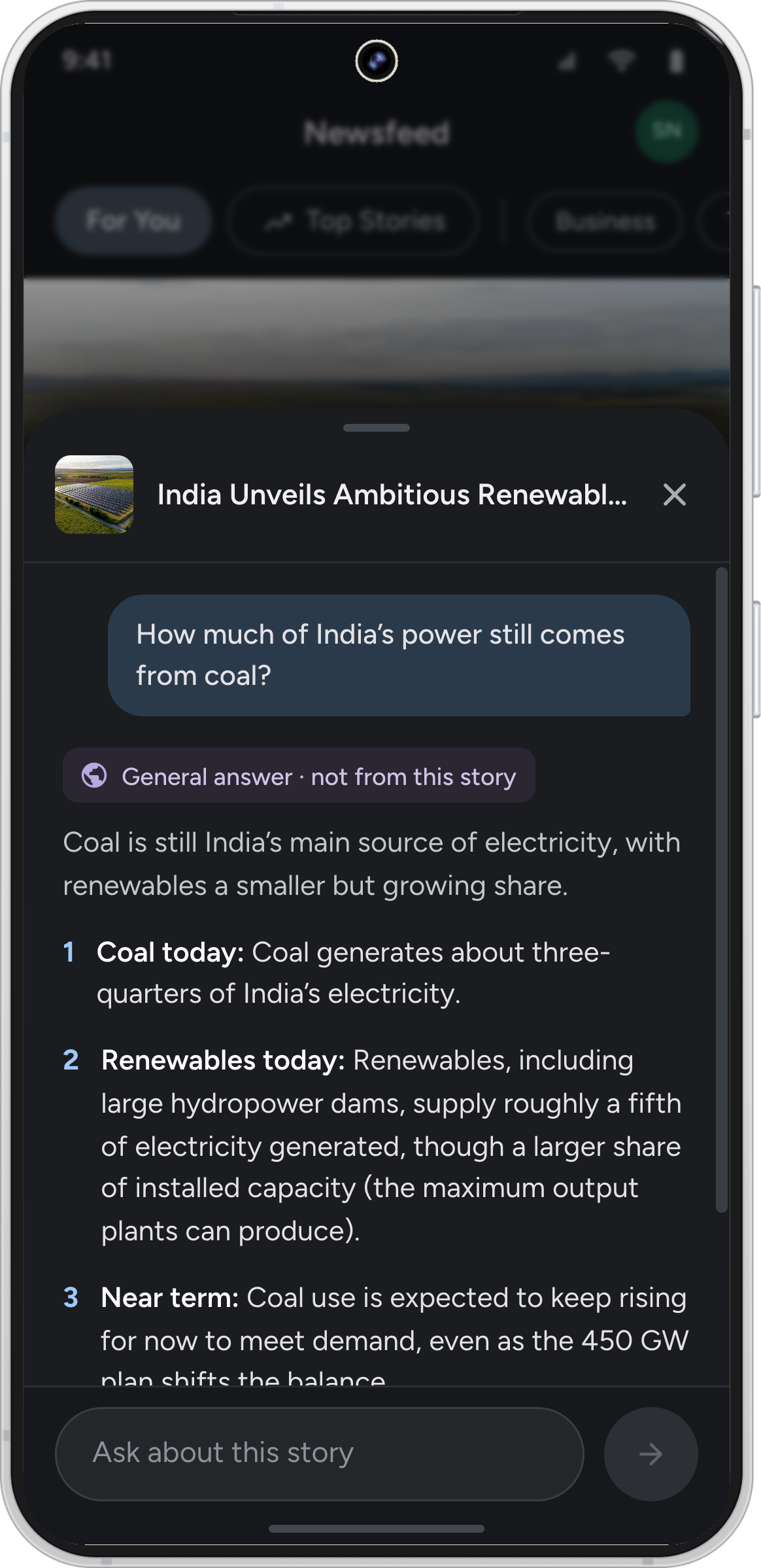
Related, not covered
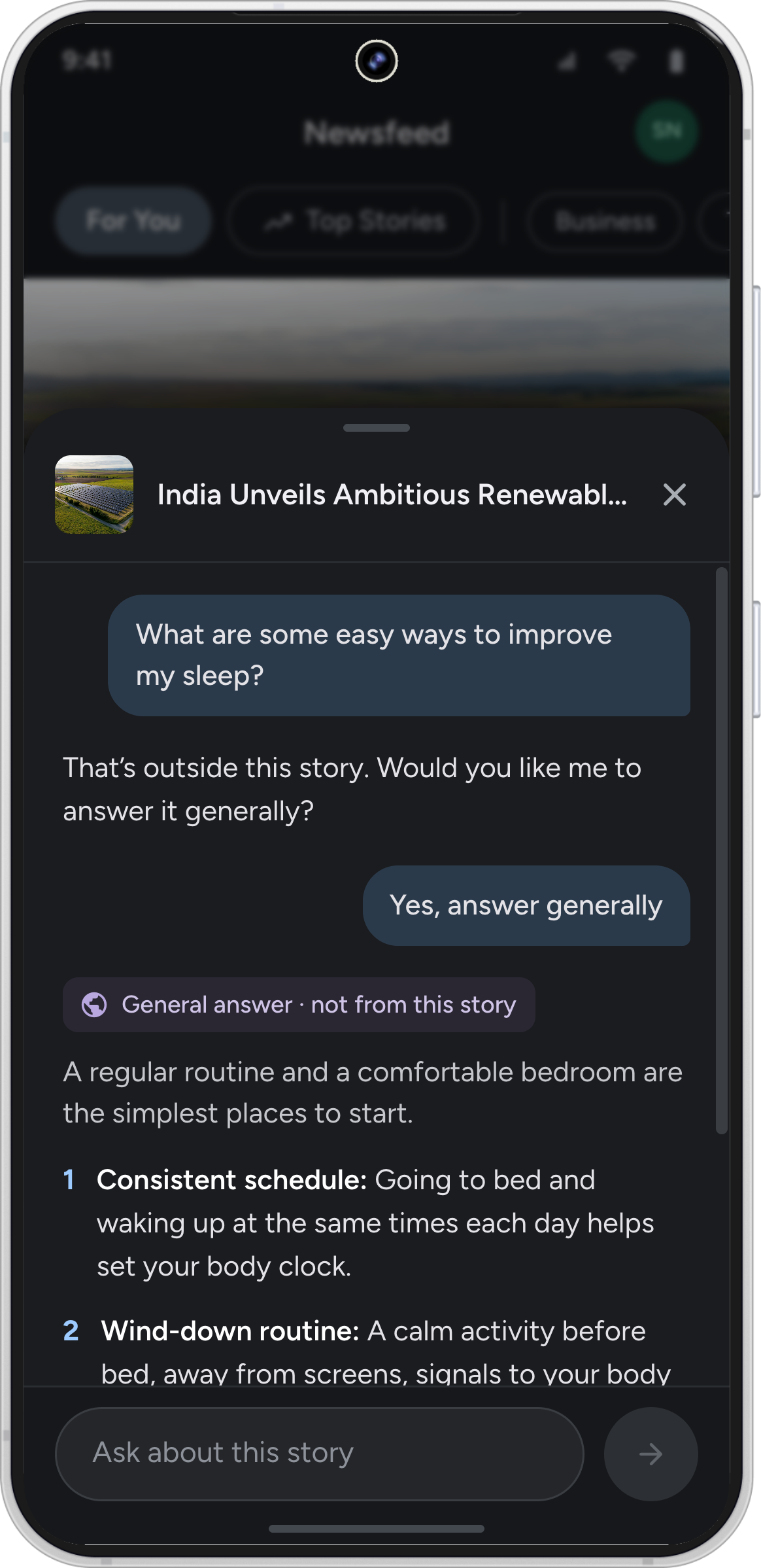
Unrelated
05. How answers are written
Reader question: Can I get a quick answer?
Design decision: Three numbered points in the brief's style, so the chat feels like the same product. Unlike the brief, answers lead with a direct line and labelled points, because readers asking a question want the answer first.
- Start with a one-line direct answer.
- Always answer in three numbered points, matching the 3-point brief, so the chat feels like part of the same product.
- Give each point a short label and one sentence.
- Use plain language and explain technical terms.
- Stay neutral. No opinions.
- If the story doesn't answer part of the question, say so.
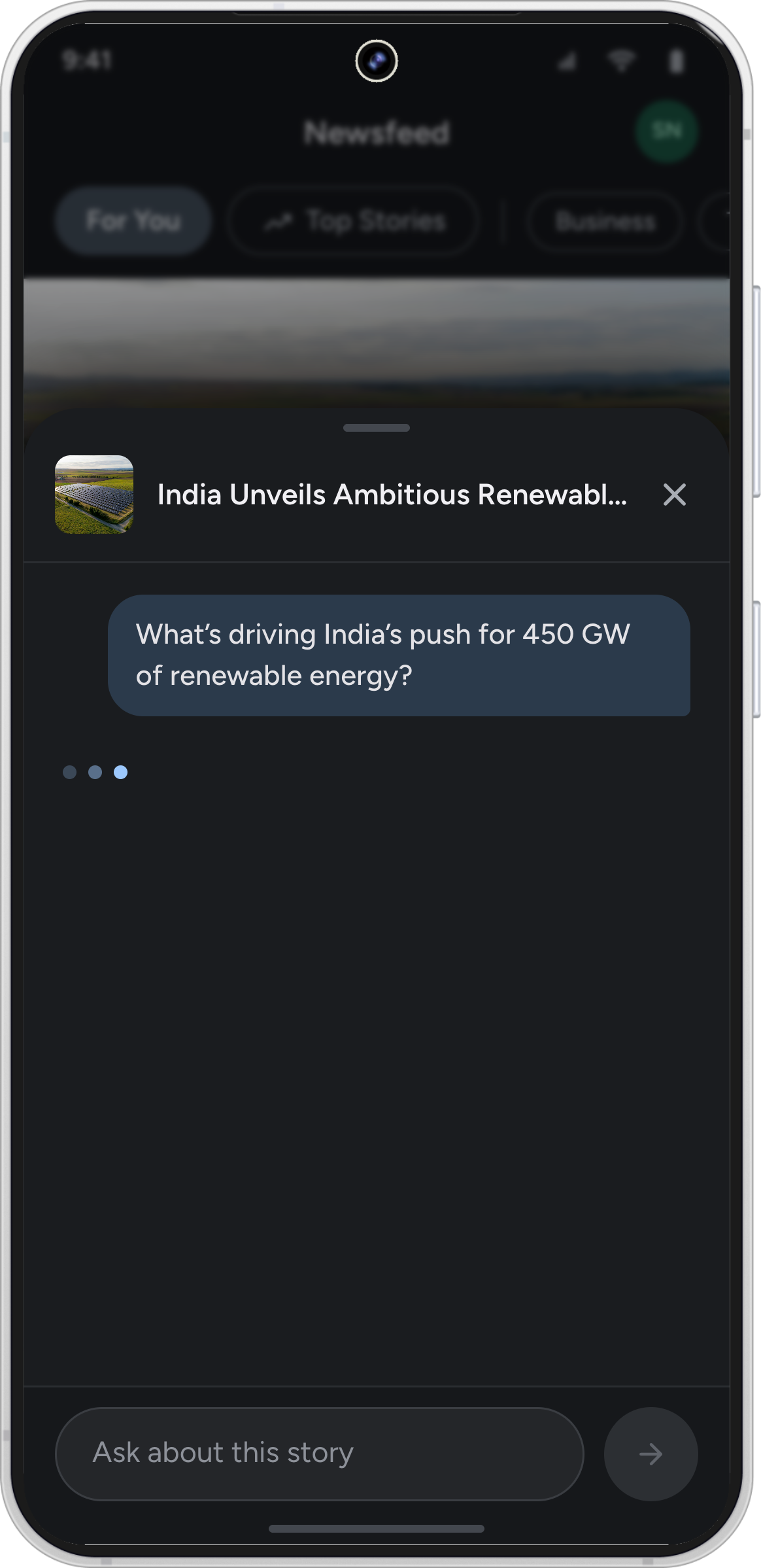
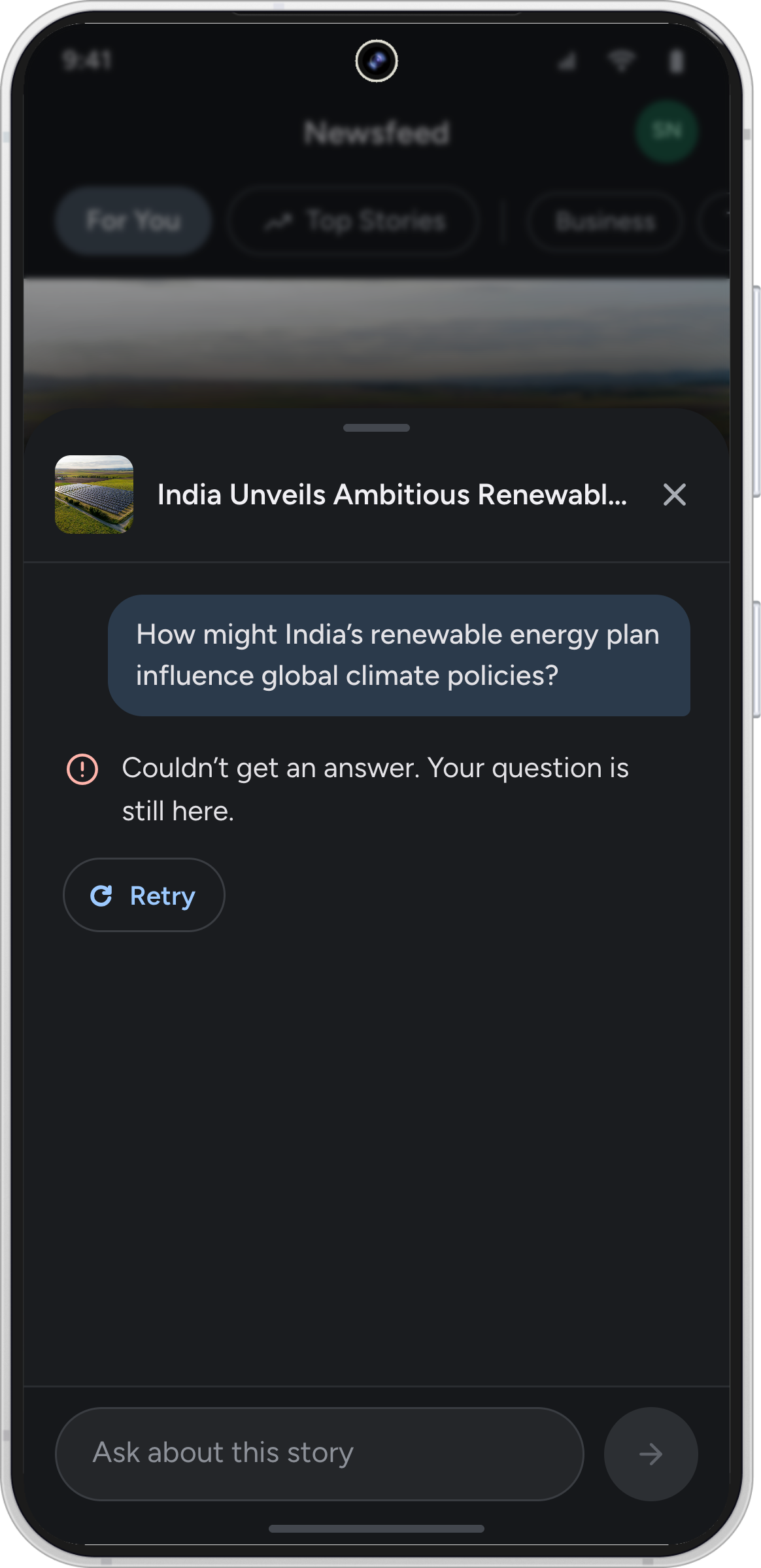
06. Waiting and failure states
Readers should always know what's happening and never lose their question.
07. Trust and safety
Reader question: Can I trust what it tells me?
Design decision: News + AI is high-stakes. A wrong or slanted answer on an election or communal story can do real harm. Source chips and "not from this story" labels already show readers where each answer comes from.
Beyond that, I specified:
- Sensitive topics: For elections, violence or communal news, Dūtabot answers only from the story's sources and doesn't offer general answers.
- Wrong answers: Readers can flag an answer with thumbs down, which the AI team reviews.
Visual explorations & Trade-offs
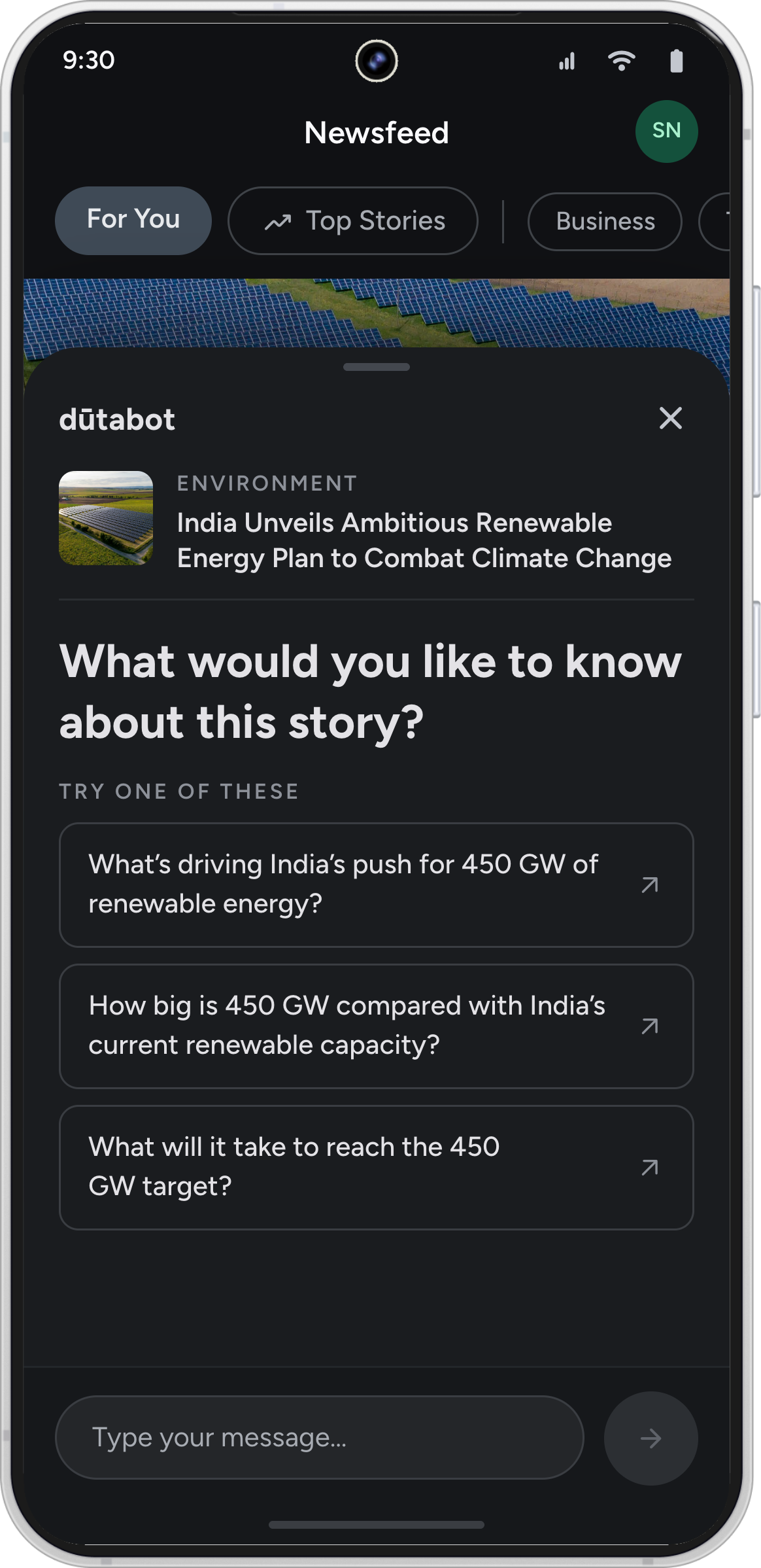
Three approaches to presenting suggested questions
I spent a lot of time exploring how to show the suggested questions. They had to fit a fair amount of text without feeling cramped and still be easy to read.
Exploration 1
- Larger cards give more visual presence
- Takes more vertical space
- Makes the interaction feel heavier
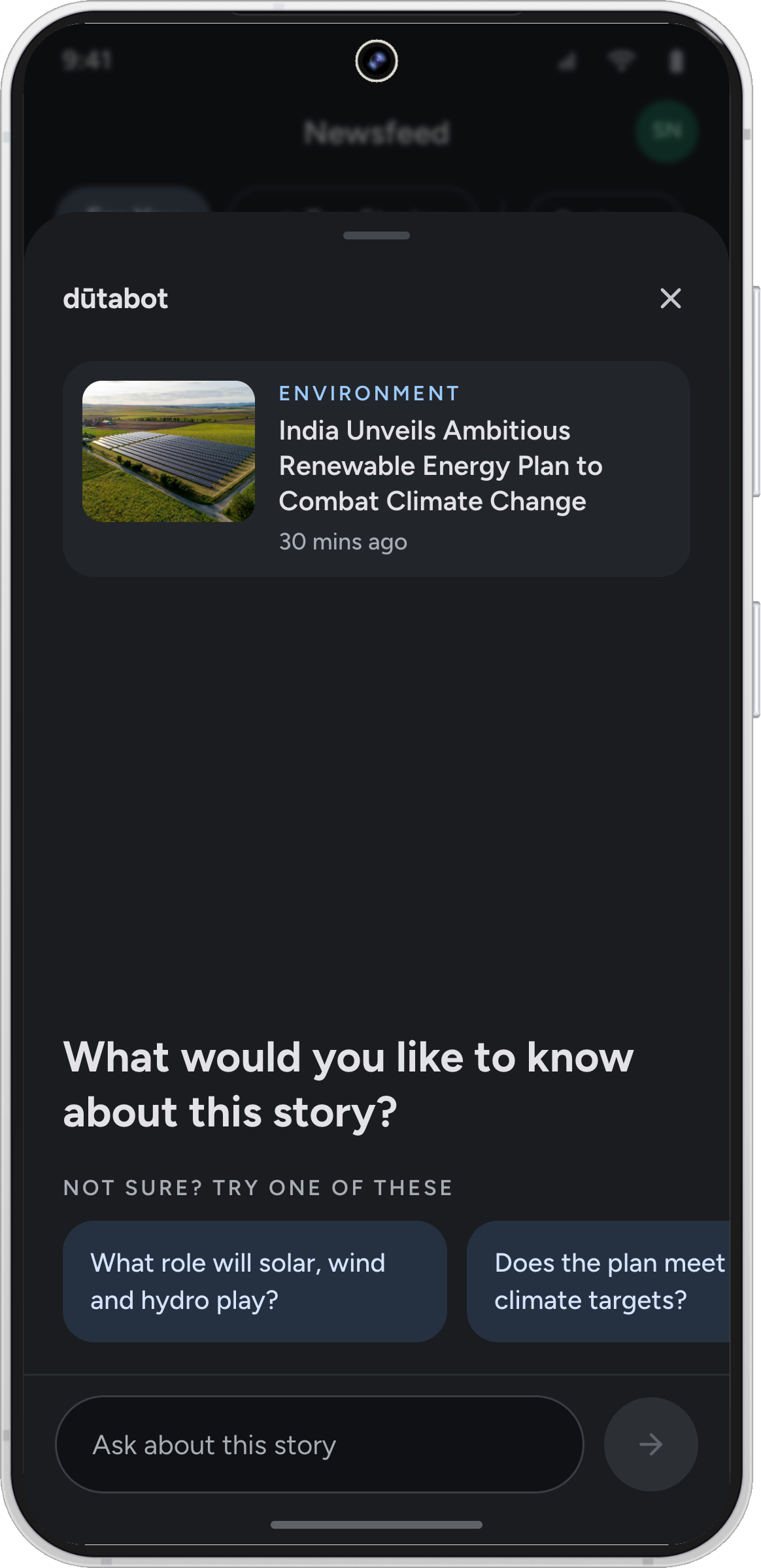
Exploration 2
- Keeps the interface lightweight
- Makes the AI experience more prominent
- Longer questions feel constrained
- Requires more effort to scan
- Weak connection to the newsfeed
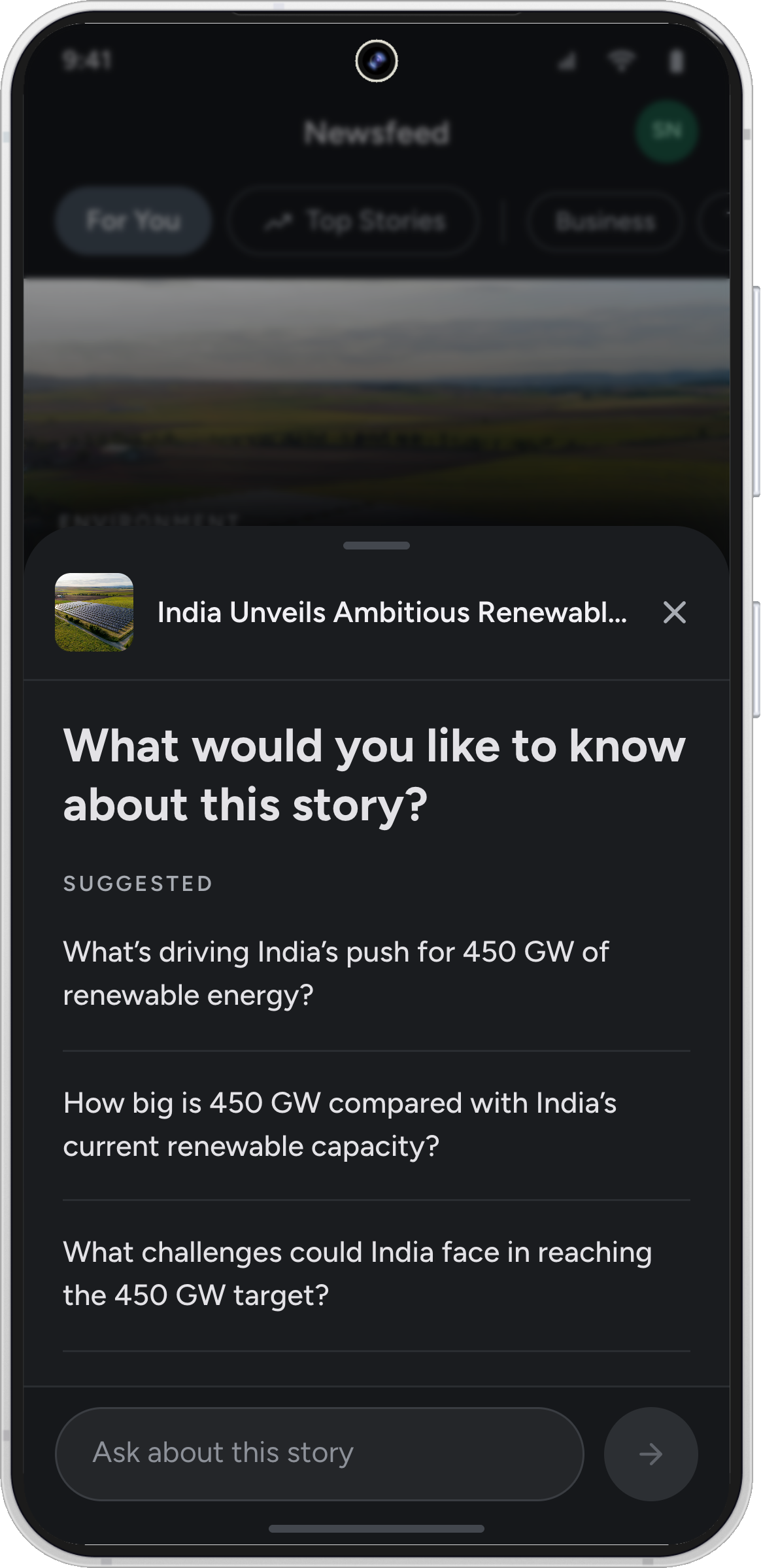
Exploration 3 - selected
- Each question gets its own row
- Easy to scan at a glance
- Clear hierarchy between the suggested questions and the text input
Balancing context and conversation
The bottom sheet needed to give enough space for conversation without disconnecting it from the story. To manage this, I explored different sheet heights to balance visibility, conversation focus and interaction space.
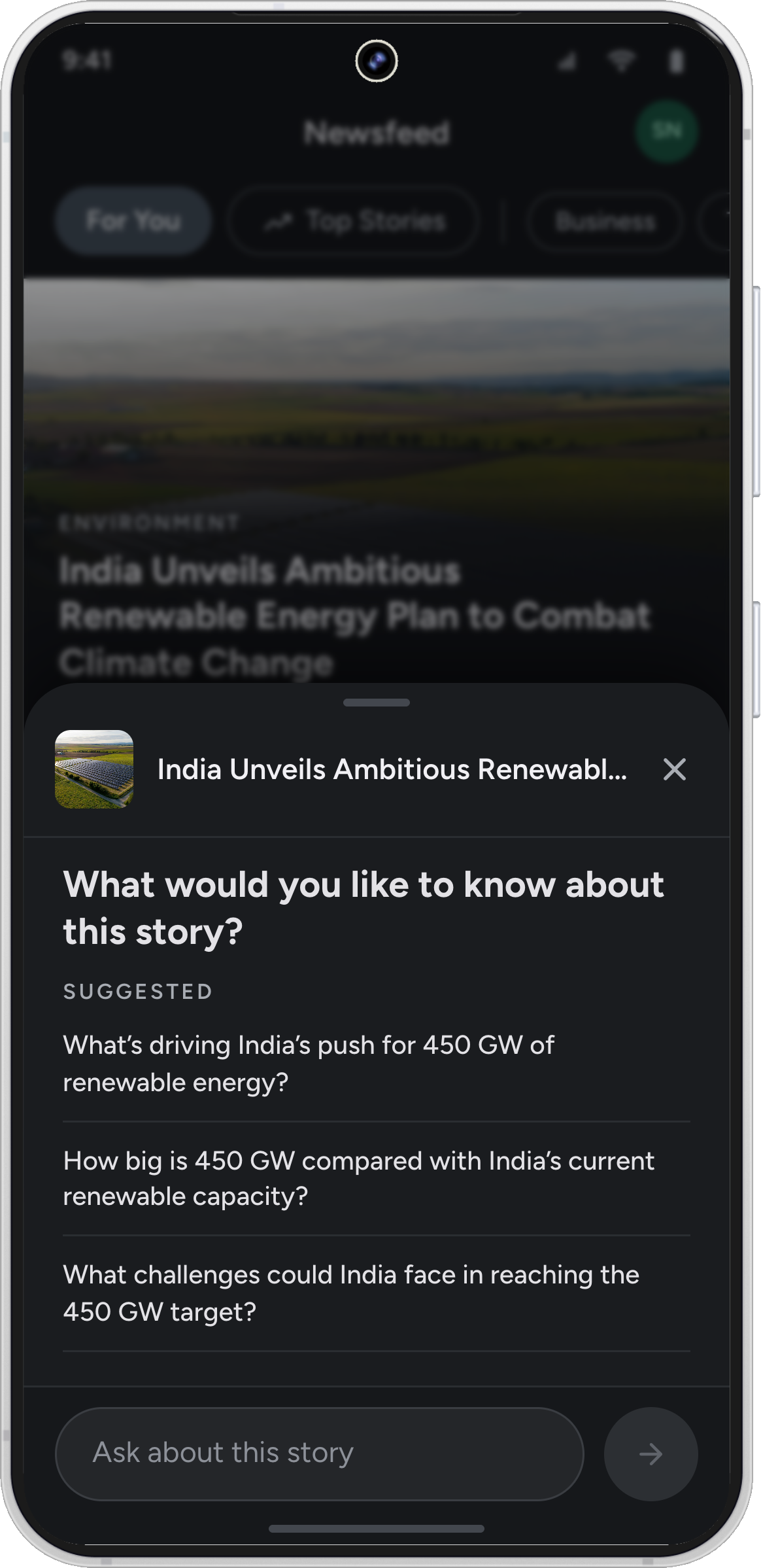
- More of the background remains visible
- Conversation felt secondary
- Not enough space, and it felt like an overlay
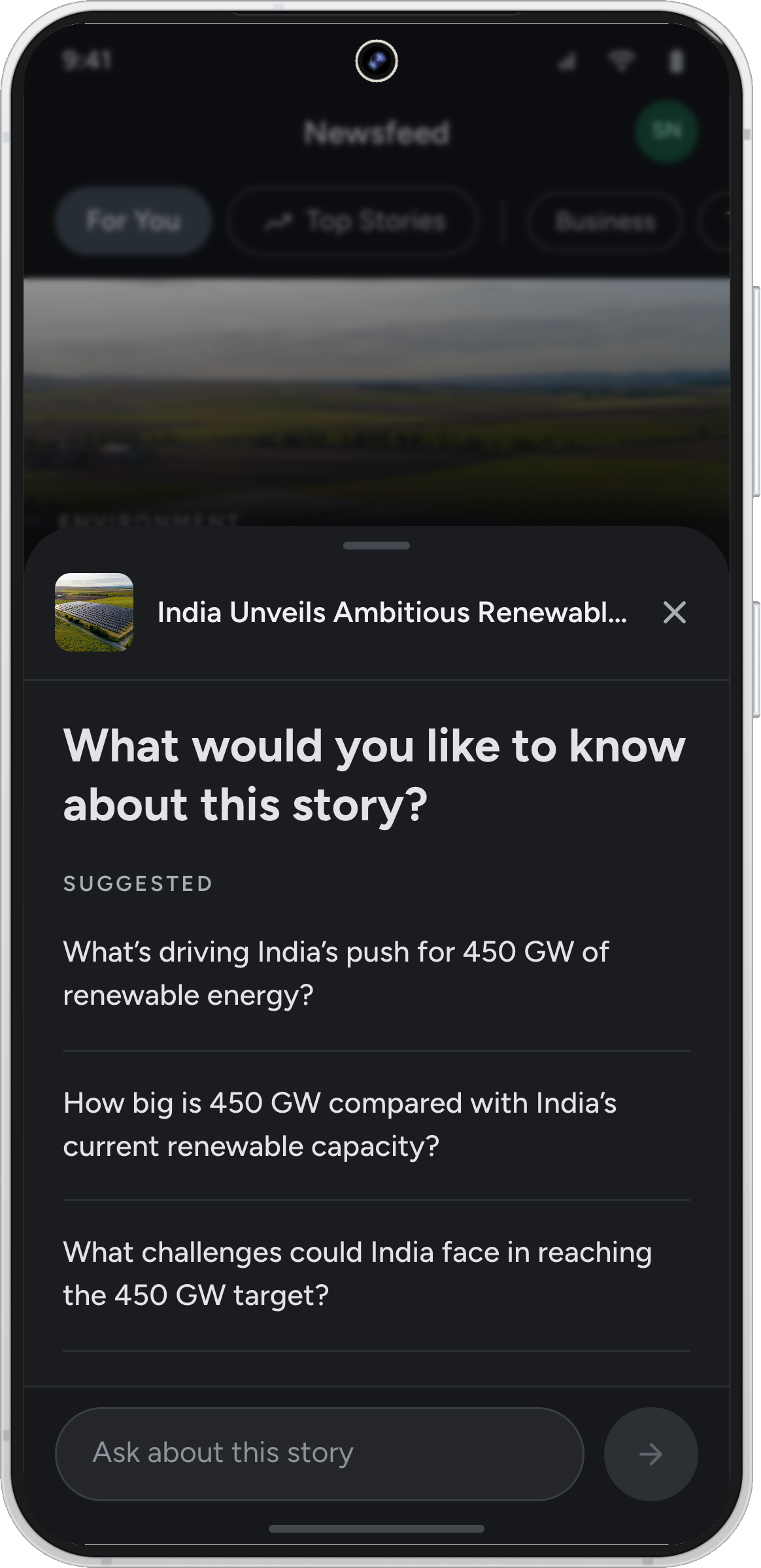
- Dynamic sheet: 68% height at first, 75% once the conversation starts
- Selected: clearer relationship between the story and the conversation
Testing
Usability testing
In usability testing with 9 participants (run by the PM), three participants couldn't tell general answers apart from answers based on the story.
I made two changes: a "General answer · not from this story" label, and showing the reader's choice ("Yes, answer generally") as a message in the conversation, so the switch to a general answer is always visible.
Outcome
Shipped, then discontinued after a few months
It was on Google Play for a few months and reached 150+ downloads before it was discontinued.
With limited distribution and a short product life cycle, we didn't have enough data to measure its impact on news consumption and engagement.
What I'd do differently
I'd start with a simple prototype, define clear success metrics, and test suggested questions before building the full experience. This would help validate the value of contextual conversations early.
I'd also explore adding external sources to general answers, and test when citations are useful without making simple answers more complicated.